
Quick Answer
If you're in a hurry, here's the short version: most people should get the S7 Max. The $40 price difference gets you double the storage, which means more room for apps, less future-proofing worry, and a better overall experience.
That said, the S7 Pro isn't a bad choice — it's the same exact device inside, just with less storage. If you're a light user who only uses a handful of apps, the Pro saves you money without losing any features.
In this guide, we're breaking down exactly what's different (and what's identical), helping you figure out if 32GB is enough for your usage, and whether upgrading to the Max is worth it for your situation.
If you want to see how all three S7 models stack up, including the top-tier Ultra, check out our full SuperBox model comparison.
What Both Models Have in Common
Here's the thing about the S7 Pro vs. S7 Max — they're almost the same device. The processor, graphics, networking, and features are 100% identical. Both include:
Identical Hardware & Features
- Quad-core ARM Cortex-A53 processor
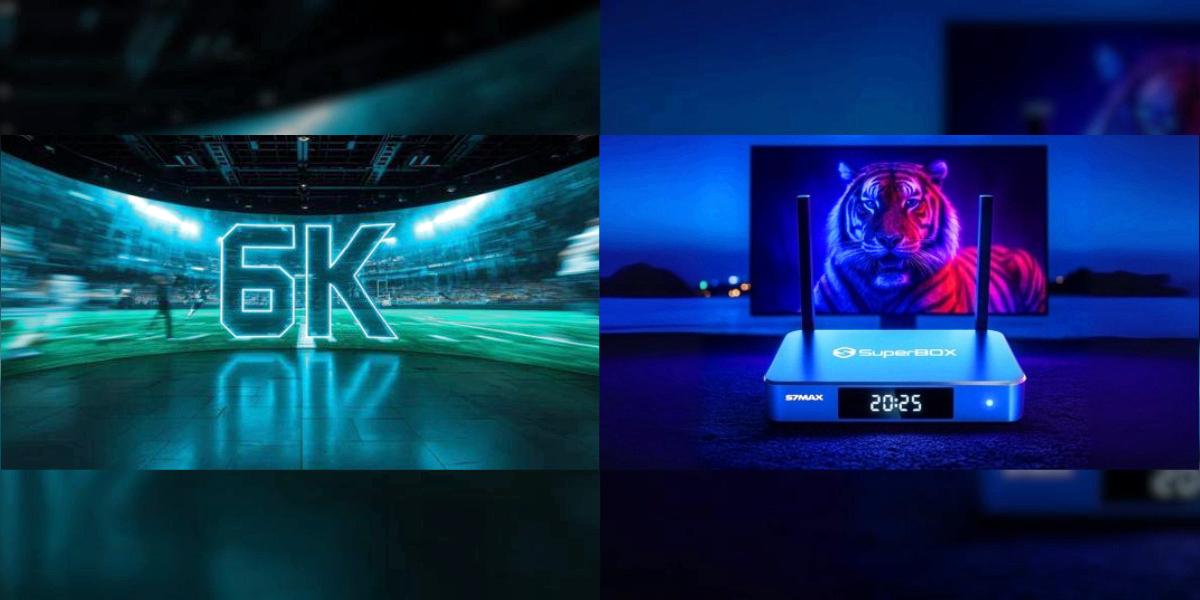
- Mali-G31 MP2 GPU with 6K@60fps H.265 hardware decoding
- 4GB DDR3 RAM for smooth multitasking
- Gigabit Ethernet (1000Mbps) wired port
- WiFi 6 (802.11ax) dual-band wireless
- 7-Day Time Shift playback buffer
- Bluetooth voice remote with updated fast response
- USB-C power and data port
- Android 12 operating system
- Same metal housing and build quality
So if you were wondering whether the Max is "faster" or has better picture quality — it doesn't. The streaming performance, picture quality, and feature set are exactly the same on both.
The Only Real Difference: Storage & Color
Storage Capacity
| S7 Pro | S7 Max | |
|---|---|---|
| Internal Storage | 32GB eMMC | 64GB eMMC |
| System Uses | ~12GB | ~12GB |
| Time Shift Buffer | ~12-16GB reserved | ~12-16GB reserved |
| Available for Apps | ~4-8GB | ~36-40GB |
| Price | $359 | $399 |
Physical Color
- S7 Pro: Space Gray
- S7 Max: Classic Blue
The color difference is purely cosmetic — it doesn't affect performance at all. Some people prefer the understated gray look, others like the distinctive blue. It's personal preference.
Is 32GB Enough Storage? The Real-World Test
This is the question everyone asks. We installed apps on an S7 Pro until we hit the storage warning, and here's what we found:
What Fits on 32GB (S7 Pro)
After the system and Time Shift partition, you're left with roughly 4-8GB of usable space for apps. In real terms, that's:
- 8-12 standard media apps
- A few utility apps (file managers, browsers, etc.)
- Very little room for games or large applications
What Fits on 64GB (S7 Max)
With roughly 36-40GB free, you get:
- 30+ media apps with room to spare
- Space for games and larger applications
- More cached data for faster app loading
- No storage anxiety for the next 3-4 years
Who Will Be Fine with 32GB
The S7 Pro's 32GB is enough if:
- You only use 3-5 core apps regularly
- You don't install games
- You're comfortable uninstalling apps you don't use
- You plan to upgrade again in 1-2 years anyway
Who Will Regret Getting 32GB
Skip the Pro and go Max if:
- You like trying new apps and services
- You share the box with family members (everyone installs their own stuff)
- You want to keep the device for 3+ years
- You hate getting "storage full" warnings
Is the $40 Upgrade Worth It?
Let's do the math. The S7 Max costs $40 more than the Pro. That gets you an extra 32GB of storage.
Why It's Worth It for Most People
- Future-proofing: Apps keep getting bigger. What fits comfortably today might be tight in 2 years
- Peace of mind: Never worry about running out of space or having to delete apps
- Better resale value: Higher-storage models hold their value better if you upgrade later
- **It's only $40:** On a $359+ purchase, that's roughly an 11% premium for double the storage — a pretty good deal
Why You Might Save the Money
- You're on a strict budget and every dollar counts
- You know exactly which apps you use and it's only 2-3
- You're buying it as a second box for a bedroom or guest room
- You plan to upgrade again within a year anyway
Our take: For most buyers, the $40 is the best money you can spend. Storage is the one thing you can't upgrade later, and running out of it is the #1 reason people feel like their streaming box is "slowing down" after a year or two.
Who Should Buy Which
Get the S7 Pro if:
- ✅ You're a light user with just a few go-to apps
- ✅ Budget is your top priority
- ✅ It's for a secondary TV that doesn't get heavy use
- ✅ You prefer the Space Gray color
Get the S7 Max if:
- ✅ It's your primary living room TV box
- ✅ Multiple people use it (family, roommates)
- ✅ You like exploring new apps and services
- ✅ You want it to feel fast for 3+ years
- ✅ The Classic Blue color looks better to you
What About the S7 Ultra?
If you're already considering the Max, it's worth a quick look at the S7 Ultra for $449. For another $50, you get:
- 128GB total storage (double the Max)
- Backlit voice remote (great for dark rooms)
- Same everything else
For most people, the Max is still the sweet spot. But if you want the absolute best and a backlit remote matters to you, the Ultra is worth considering. Our model comparison page has all the details.
Frequently Asked Questions
Can I add external storage with a USB drive?
Yes, you can connect a USB drive to the USB 3.0 port for media files and extra storage. However, most apps still need to be installed on internal storage — you can't move all apps to USB. So external drives help, but they don't fully solve the 32GB limit.
Does more storage make the device faster?
Not directly. Both models have the same processor and RAM, so day-to-day speed is identical. The difference shows up later — when the 32GB model fills up, it can start feeling slower because the system has less room to work with. The 64GB model avoids this problem for much longer.
Do both models have the same remote?
Yes, both the Pro and Max include the same Bluetooth voice remote. Only the top-tier S7 Ultra comes with the backlit remote.
Can I upgrade the storage later?
No, the internal eMMC storage is soldered to the motherboard and can't be upgraded. What you buy is what you get — so choose carefully.
Is there any difference in picture quality?
None at all. Both use the same GPU and video decoding hardware, so the picture quality is identical.
What's the return policy?
All SuperBox orders from US authorized sellers come with a 30-day return window. If you get the Pro and decide you need more space, you can exchange it within that period.
Final Recommendation
For 80% of buyers: get the S7 Max. The $40 premium for double the storage is one of the best value upgrades in consumer tech right now. Since you can't add storage later, it's the safe choice that ensures you won't be frustrated a year from now when apps have grown and you're running out of space.
That said, if you know you're a light user and budget matters, the S7 Pro is still a great device — it has all the same features and performance, just less room for apps.
Still not sure? Read our honest S7 Max review to see how it holds up after 30 days of real use, or compare all three models on our SuperBox comparison page.
Ready to buy?